PawsPet

PawsPet for bird owners

Parrot care app: daily weight, lab tests and routine for every bird

A parrot, a budgie or a canary can lose weight fast, and every gram counts. PawsPet is a parrot care app that works for every companion bird: log the weight each day and see it on a chart, keep lab tests and certificates in order, and get an alert when a test is due again. It does not replace your avian vet: it helps you arrive with the right data.

Continue in PawsPet
Activities and reminders — PawsPet

PawsPet

Why it helps

Daily weight with a chart

In the «Measurements» tab you log the day's weight, in grams when the bird is under one kilo, with a photo and a note if you like. You see the latest value, the change from the previous reading and the trend on a chart. One entry per day, always editable.

Lab tests with a repeat schedule and alerts

Pick the test from a catalogue with the ones recommended for species and age on top, or type your own with «Other (custom)»: swab, PCR or droppings exam, with results and a table of values. When the catalogue has a schedule, the app suggests it with an alert.

Certificates and documents always with you

CITES certificate, passport, pedigree or microchip registration: upload scans, photos or PDFs with number, issuing body and dates. With an expiry date you choose how many days ahead you get the reminder; a coloured label flags what has expired or is about to.

Works without a connection too

Add the bird and log a measurement even when you are offline: the app saves on the phone and syncs as soon as the network is back, without holding you up. Handy in the aviary, in the vet's waiting room or on the road.

Parrots and birds

What it means for your day.

  1. Create your bird's profile

    «Pets» tab » + button: photo (optional), name and date of birth; then pick «Birds» from the species grid and, if you like, the breed, for example budgie. Fill in sex, colour and distinguishing marks; microchip and health booklet are optional. At the end, upload a document or tap «Not now».

  2. Log the day's weight

    Open the bird » «Measurements» tab » +: keep today's date (or pick a past day), type the weight, add a photo and a note if you like, then «Save». Summary, chart and history update right away; if you open the same day again, you update that same measurement.

  3. Add the lab tests and set the alert

    «Health» tab » + » «Lab test»: pick the test from the catalogue or type it with «Other (custom)», enter date, lab and results, turn on «Repeat periodically» and tap «Set alert», for example «1 month before». The test appears in «History» and its detail shows the date of the next one.

Parrots and birds

Frequently asked questions

Is PawsPet a good parrot care app?

Yes. PawsPet works for every species, including parrots, budgies, canaries and other companion birds. In the bird's profile you get the daily weight with a chart, lab tests with a repeat schedule and alerts, documents and certificates. It does not replace your avian vet: it collects the data you then bring to the visit.

Where do I log my parrot's daily weight?

«Pets» tab » your parrot » «Measurements» tab » «+» » enter the weight » «Save». Under 1 kg the weight is shown in grams. Each calendar day has a single measurement: opening the same day again updates it, and with the date at the top you can also log a past day.

Does the app remind me when my parrot's test is due again?

Yes. «Health» tab » «+» » «Lab test» » fill in the test » turn on «Repeat periodically» » «every N days/weeks/months/years»: the date of the next test appears right below; add «Set alert» to get the push notification. When a catalogue test comes with a schedule, the app suggests it on its own, but you can always change it or switch it off.

Can I add a budgie or a canary, not just a parrot?

Yes. In the «Species» step pick «Birds» (or «Bird» under «Show all species») and, if you like, type the breed or variety in the field with suggestions; for a species you cannot find there is «Other», with the type written by you. You can keep several birds, each with its own profile, weights and tests.

How do I set a reminder for a certificate's expiry date?

Open the bird » «Anagraphic» tab » «Documents» strip » «See all» » «+». Choose the type (for example «Certificate»), set the «Expiry date» and the reminders appear, with one or more intervals of days before the expiry. You can attach scans, photos or PDFs; in the list a coloured label flags documents that have expired or are about to.

PawsPet

Download PawsPet and create your parrot's profile

Free for pet owners, on iOS and Android. Add your bird in five steps and log the first weight: from the second reading you already see the change.

Download PawsPet

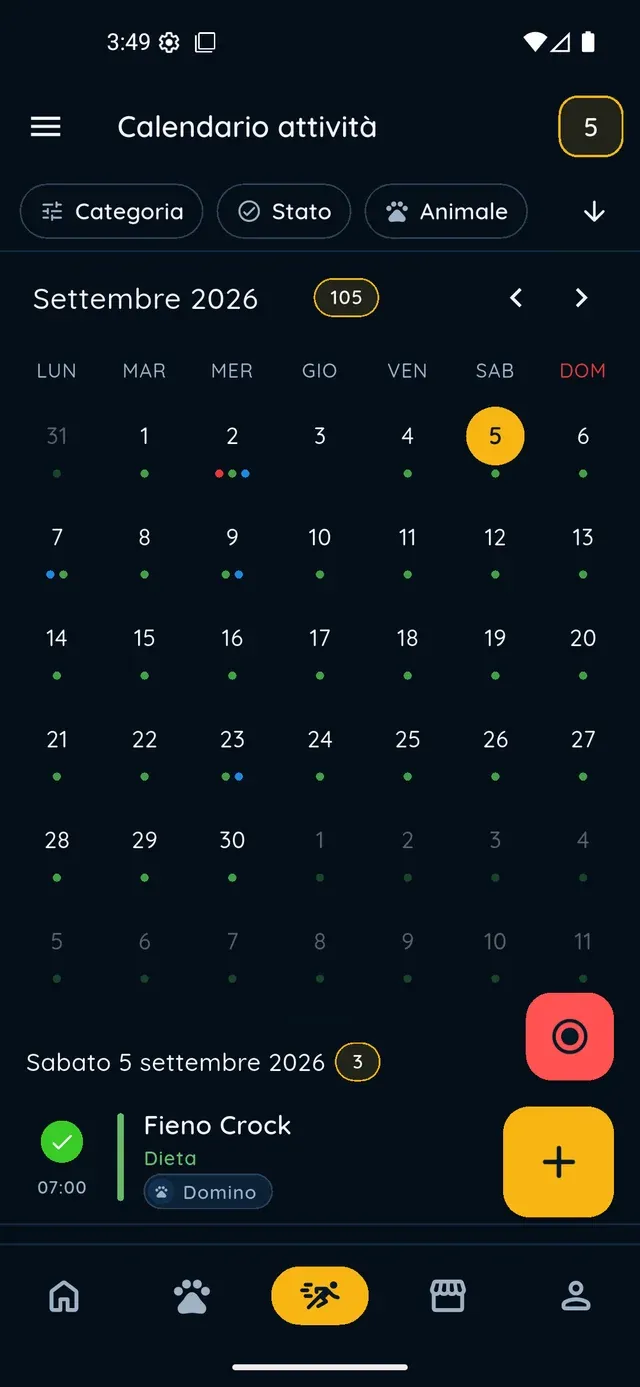
App screenshots with demonstration or test data.