PawsPet

PawsPet for cat owners

Cat care app: health, weight and who takes over when you're away

PawsPet is a cat care app that keeps the essentials in one profile: weight and body condition, allergies, vaccinations and visits. With several cats, each gets its own profile, easy to find with search and filters. When you travel, hand it to your cat sitter with a read-only link or invite them as a collaborator. One honest limit: the app shows how the weight changes, not what it should be. That is for your vet.

Continue in PawsPet
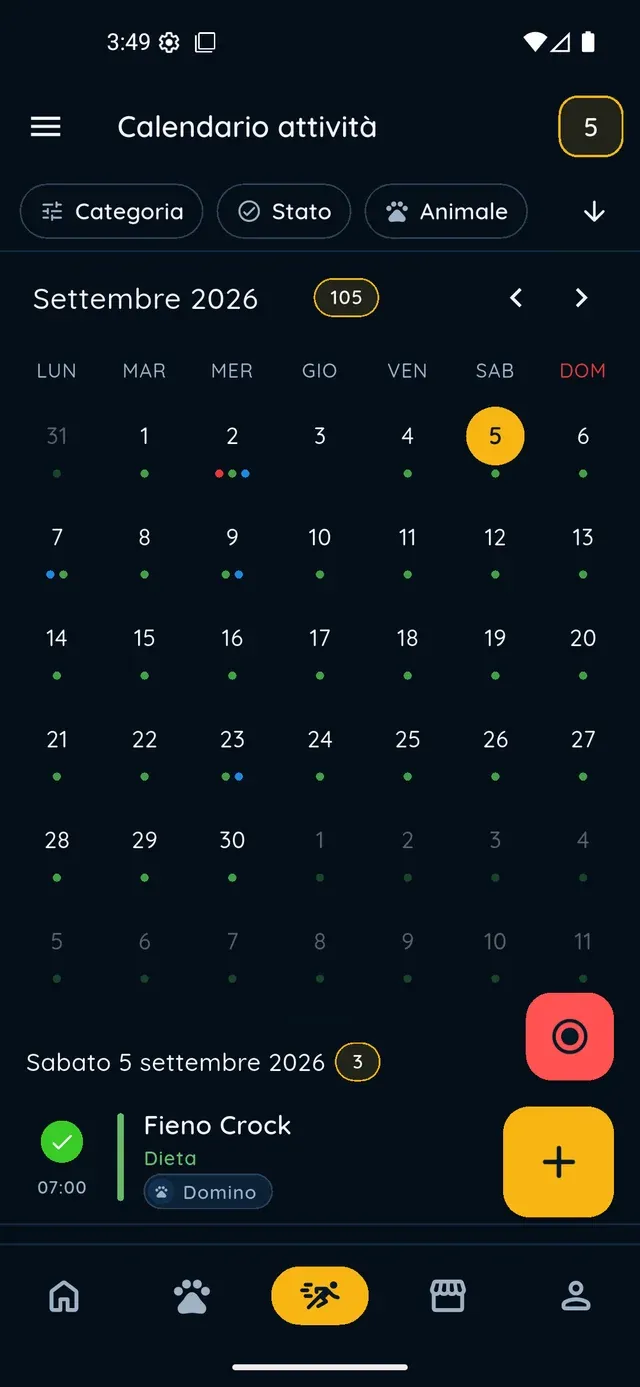
Activities and reminders — PawsPet

PawsPet

Why it helps

Weight and BCS on a chart, month after month

In the Measurements tab you log the weight in kg, decimals included, a BCS on a 1-5 or 1-9 scale and, if you like, a photo of the day. The chart and the history show the change from the previous reading, so a slow loss or gain does not go unnoticed.

Several cats, one profile each

Every cat has its own profile. In the Pets list you search by name, breed or colour, switch between list and grid, and jump to a letter with the alphabetical index on long lists. The Shared with me filter keeps your cats apart from those shared with you.

Allergies and intolerances always in view

Tick the common allergens for cats or add your own, with two separate sliders for the severity of the allergy and of the intolerance. They show up as coloured labels in the health summary and on the public profile you share with whoever looks after your cat.

Hand over to the cat sitter in a minute

Turn on sharing and send a read-only link: whoever opens it sees photo, allergies, vaccinations and treatments, no app needed. If your cat sitter uses PawsPet, invite them as a collaborator and choose view-only or edit rights on health and activities.

Cats

What it means for your day.

  1. Create a profile for each cat

    In the Pets tab, tap + and follow the five guided steps: photo and name, species and breed, basic details, extras such as microchip and location, then documents. With several cats, repeat it: each gets its own profile, and the search bar at the top finds them by name, breed, colour or location.

  2. Log weight, BCS and allergies

    Open the cat, go to the Measurements tab and tap +: pick the date, enter the weight in kg and the BCS, add a photo and a note, then save. One measurement per day: reopen the same day and you update it. In the Health tab, under Allergies and intolerances, tick the allergens and set the severity.

  3. Pass the profile to whoever takes over

    From the three-dot menu on the profile, choose Sharing, turn on the public read-only link and send it with Share. Or choose Collaborators, then Add collaborator, search for your cat sitter by name or email and grant permissions. When you are back, turn the link off or remove the collaborator.

Cats

Frequently asked questions

Can I use PawsPet as a cat care app for more than one cat?

Yes. Each cat has its own profile and the Pets list shows them all, as a list or a grid. The search bar filters by name, breed, colour or location, and an alphabetical index appears as you scroll so you can jump straight to a letter. The My and Shared with me filters keep your cats separate from the ones others share with you.

How do I log my cat's weight and see the chart?

Open the cat, tap the Measurements tab, then +: enter the weight in kg, decimals included, and save. The reading appears right away in the summary, on the line chart and in the history, with the change from the previous reading next to each row. Below 1 kg the weight is shown in grams, handy for kittens.

How do I share my cat's profile with the cat sitter?

From the cat's profile, open the three-dot menu and choose Sharing: you turn on a public read-only link for any browser, no app or account needed. Or choose Collaborators, then Add collaborator: find them by name or email (they need a PawsPet account) and choose whether they can only view or also edit health and activities. Access stays until you remove it.

Does the app tell me if my cat is overweight?

No. PawsPet shows how the weight changes from the previous reading, without a verdict, because there is no ideal weight in the system. You can record a Body Condition Score instead: there the arrow turns green or red depending on whether you are moving closer to or further from the ideal condition. For a real assessment talk to your vet, chart in hand.

How much does the PawsPet cat care app cost?

There is no subscription: profiles, measurements, allergies and sharing cost nothing to use. The only possible expense is a service you book and pay for in the app, such as a cat sitter: PawsPet keeps a fee only on those orders, and you see the total in the summary before you confirm.

PawsPet

Download PawsPet and set up your cat's profile

Log the first weight today: in a month you will already have your first comparison on the chart. And when you travel, the profile is ready to hand to whoever takes over.

Download PawsPet

App screenshots with demonstration or test data.