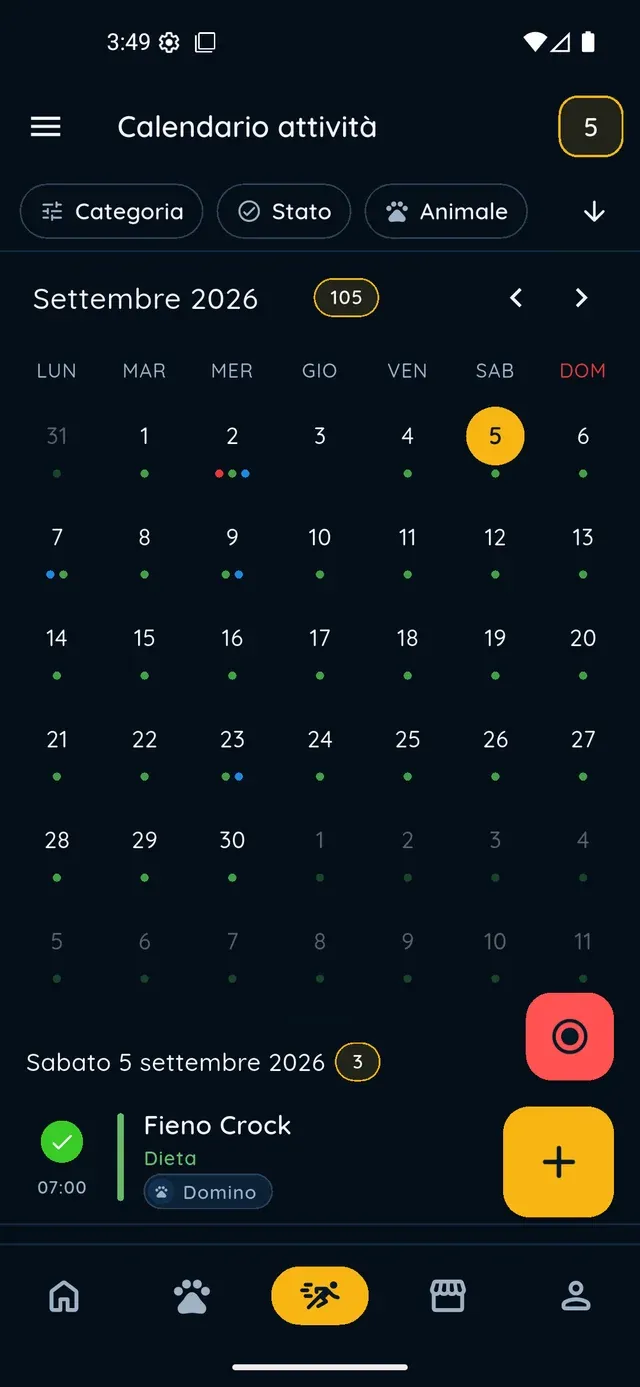
Does the pet activity calendar work for every animal or only for dogs?+
For every animal in your profile: dogs, cats, horses, rabbits and the rest. PawsPet is one pet activity calendar and diary app for all of them: with the «Pet» filter you see one animal at a time, and the activity types also cover equine, feline and rodent sports. An activity can involve several pets, or none.
How do I create an activity that repeats every week?+
In the «New activity» form tap the «Repeat» row, choose «Every N weeks» and select the days of the week and the time. Under «Duration» choose forever, a number of times or until a date, then «Done» and «Save». You do not create the repetitions one by one: the app generates every occurrence by itself.
How do I change a single occurrence of a repeating activity without touching the others?+
Open the occurrence from the calendar, tap «Edit», change what you need and tap «Save». A panel then asks «Which events do you want to modify?»: choose «This one only». The other options are «All in series» and «This and future». It works offline too: the change is sent as soon as you are back online.
How do I record a walk with GPS, and where do I find the route afterwards?+
«Activities» tab, round red «Start recording» button: choose one or more pets and a sport type, then start and grant location permission. Recording keeps going with the screen locked and works without a connection. At the end, the activity details show the route map with duration, distance and speed.
Can I share my dog's or cat's calendar with the people who look after them?+
Yes, by sharing the pet with someone who has a PawsPet account: open its profile, ⋮ icon, «Collaborators», «Add collaborator», search the person by name or email and grant the «Activities» permission as view or edit. They will find the pet under «Shared with me» with its activities and, with edit, can log new ones. Access stays until you remove it.