PawsPet

PawsPet for owners

Family pet care app: one shared profile for everyone

A family pet care app should end the daily question of whether today's walk or pill has already been done. With PawsPet your pet has one shared profile: you stay the owner and share it with your partner, older kids or a co-owner, deciding for each of them what they can see and what they can edit. One honest limit: the people you invite need a PawsPet account first.

Continue in PawsPet
Your pets’ profiles — PawsPet

PawsPet

Why it helps

One profile, no duplicates

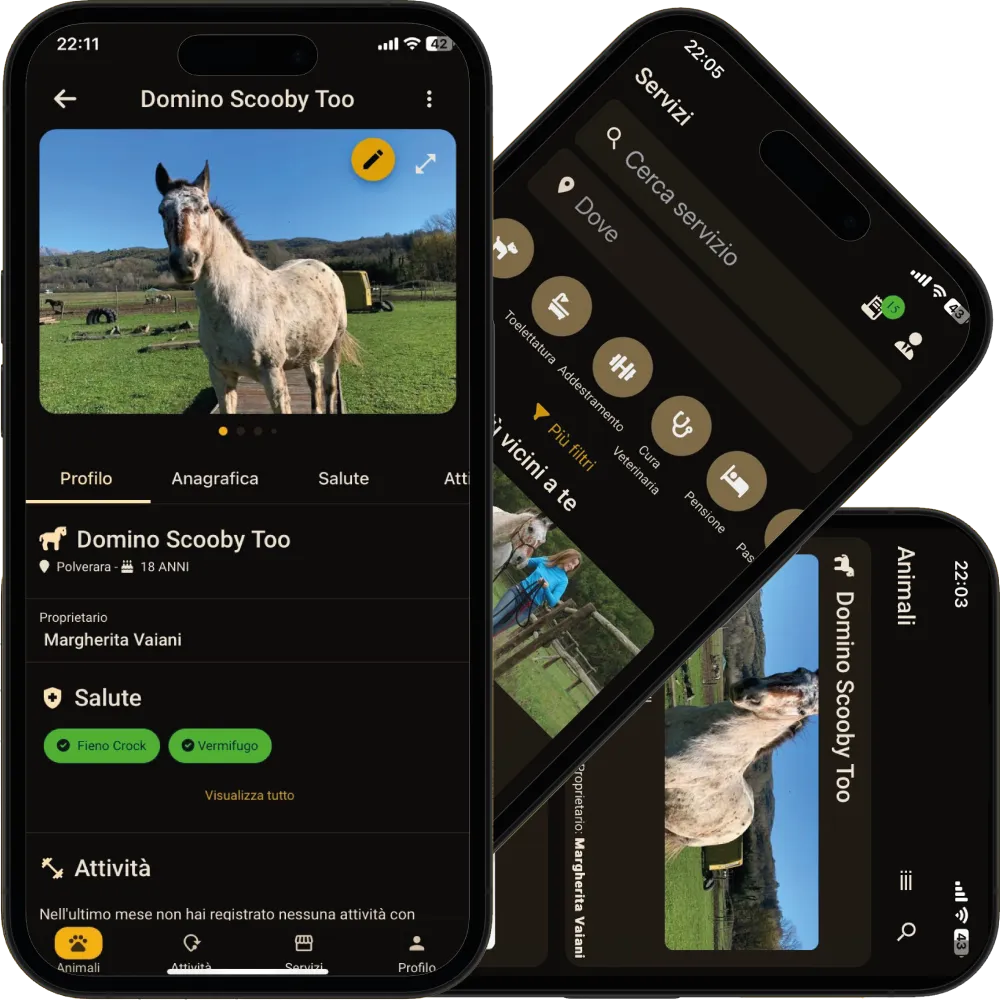
Your pet has a single profile: yours. The people you invite find it in their own app, in the «Pets» tab under «Shared with me», with the tabs and buttons you chose to give them. No more record photos sent over chat, no two versions of one treatment.

Permissions by area, not all or nothing

For each person you choose, area by area, whether they can only view or also edit: general details, collaborators, health, activities. A new collaborator starts with view-only access to health; for a co-owner there is «Full access».

Today's reminders, ticked off by whoever is home

If a family member has «Edit» on activities, they open the «Activities» tab in the pet's profile, tap the circle next to today's walk or pill and mark it done. Whoever opens the profile afterwards finds it already ticked, even if they were not at home.

Access you change when life changes

A collaborator's access never expires on its own: it stays until you remove or change it, with one tap, from the same screen. Deleting the pet remains something only you can do, whatever permissions you have given to others.

Shared family care

What it means for your day.

  1. Open your pet's profile and go to «Collaborators»

    «Pets» tab, tap your pet, then the ⋮ icon at the top right and «Collaborators». At the top is your own row, labelled «Owner»; below it, the people already invited, each with their name or email, the labels of their permissions, a toggle and a remove icon.

  2. Invite the people who live with your pet, by name or email

    Tap «Add collaborator» at the bottom right and search for the person by name or email: the search starts from the fourth character and only finds people who already have a PawsPet account. If your partner does not have the app yet, have them install it and sign up first: it is free and quick.

  3. Choose what they can see and what they can edit

    In the permission grid you switch on «View» or «Edit» for General, Collaborators, Health and Activities; «Edit» also switches on «View» by itself. For a co-owner, tick «Full access». Confirm with «Add collaborator» and the pet appears in their app under «Shared with me».

Shared family care

Frequently asked questions

Can I use a family pet care app if my husband or my daughter does not have PawsPet?

No: the «Collaborators» screen only finds PawsPet accounts that already exist. They just need to download the free app and sign up, then you search for them by name or email. For someone who does not want the app there is the public profile link, but it is read-only: it does not let them mark activities as done.

Can a family member mark today's walk or pill as done?

Yes, if they have «Edit» for the Activities area. In the «Activities» tab of the pet's profile they tap the empty circle next to today's row, or open it and tap «Complete»: the circle turns green and the activity counts as done. It works for recurring activities, diets and treatments, not for a one-off activity, a vaccine or an order. It also works offline.

The dog belongs to two people: how does co-ownership work in the app?

In the app there is always one owner. You give the other person «Full access»: they see and edit everything, invite other collaborators and manage their permissions. Two things stay with the owner only: deleting the pet, and opening its documents and passport, which today cannot be shared with any collaborator.

How do I remove access from someone who no longer looks after the pet?

Open the pet, ⋮ icon, «Collaborators»: tap the remove icon on their row and confirm. It takes effect immediately: if that person tries to open the profile, they read «The owner has stopped sharing this animal». No access expires on its own: you remove it when you need to.

Can I let a family member see my pet's health without editing it?

Yes: in the permissions switch on only «View» under «Health» and leave «Edit» off. They will see the Health and Measurements tabs, the history, attachments and the AI analysis, but without the + button and without the «Add» and «Edit» links. This is the setting every new collaborator starts with, if you change nothing.

PawsPet

Download PawsPet and invite the people who live with your pet

Free on iOS and Android. Create the profile, open «Collaborators» and decide the permissions for each person: from today your pet has one profile.

Download PawsPet

App screenshots with demonstration or test data.