PawsPet

PawsPet for owners

Share your pet's health record with your vet and pet sitter

Sharing your pet's health record with your vet, pet sitter or groomer in PawsPet works in three ways, each with its own limits: a public read-only link for people without the app, a collaborator with the permissions you choose if they have a PawsPet account, or access tied to a booking, which expires when the service ends. It works for any pet in your app. You decide what to show and for how long.

Continue in PawsPet
Your pets’ profiles — PawsPet

PawsPet

Why it helps

A read-only link for people without the app

From your pet's profile you switch sharing on: the app generates a link you send by message or email. Whoever opens it sees the photo, basic details, microchip and a health summary: vaccines, treatments, allergies, illnesses. No documents, no editing.

A collaborator with the permissions you choose

If your vet or pet sitter has a PawsPet account, invite them as a collaborator and choose what they can do: for example «View» only on Health, without «Edit». They see your pet in their own app under «Shared with me» until you remove them.

Time-limited access when you book a service

When you book a service for your pet from a professional on PawsPet, the profile stays linked to the order. Once the service is over, access expires on its own: whoever tries to reopen it gets a clear explanation and can still message you in the chat.

What the professional records ends up in the profile

If a groomer or vet on PawsPet Business invites you and you accept, they can record vaccines, treatments and visits for your pet. You find them in the «Profile» tab under «Recorded by professionals»: you cannot edit them, but you can add a note.

Share with your vet

What it means for your day.

  1. Switch on the public read-only link

    Open your pet in the «Pets» tab, tap ⋮ » «Sharing» and turn sharing on. A code and a link appear: with «Copy» or «Share» you send it from any messaging or email app. Whoever opens it does not need PawsPet. To close access, turn sharing off from the same screen.

  2. Invite your vet or pet sitter as a collaborator

    From your pet's profile tap ⋮ » «Collaborators» » «Add collaborator». Search the person by name or email (they must already have a PawsPet account), select them and set the permissions: they start with «View» on Health; add «Edit» only if you want them to record something. Then confirm.

  3. Accept the professional's invitation, if they send one

    If your groomer or vet uses PawsPet Business, they can send you an invitation link: open it and choose «Link», «Create new» or «Skip» for each pet; a checkbox, off by default, also opens the health record to them. Tap «Accept»: what they record then appears under «Recorded by professionals».

Share with your vet

Frequently asked questions

How do I share my pet's health record with my vet?

It depends on what your vet uses. If they have a PawsPet account, open your pet » ⋮ » «Collaborators» » «Add collaborator» and give them «View» on Health. If they do not have the app, switch on ⋮ » «Sharing» and send them the read-only link. If they use PawsPet Business and invite you, accept the invitation: they will record vaccines and visits themselves.

What does the pet sitter see about my dog?

It depends on how you shared it. With the public link they see the photo, basic details and a health summary, without documents. As a collaborator they see only the tabs you allowed, for example Health in read-only mode. With a service booked on PawsPet, the profile stays linked for the duration of the order and then access expires.

Can someone who opens the link edit my pet's data?

No. The page that opens from the link is view-only: it shows the photo, name, breed, basic details and a health summary, not the documents or the collaborators. If you switch sharing off the link stops working straight away; if you switch it back on later, the same link becomes valid again, because the code does not change.

Do I have to give my vet consent to access my pet's data?

Yes, and you give it yourself every time. A collaborator has only the permissions you choose, and you can remove them from the same screen. If a professional on PawsPet Business invites you, access to the health record depends on a checkbox you find switched off: if you leave it unticked, they only work on the client record they keep themselves.

Can my vet upload photos or test results to my pet's profile?

Not to the profile. What a professional records with PawsPet Business shows up under «Recorded by professionals» as a type, name, date, expiry and an optional note, with no attachments. A collaborator with «Edit» on Health can instead add health entries with their attachments; photos and reports after a booked service go through the order chat.

PawsPet

Download PawsPet and choose who sees the record

Free for owners, on iOS and Android. Create your pet's profile, then decide who sees it: a read-only link, a collaborator or access tied to a booking.

Download PawsPet

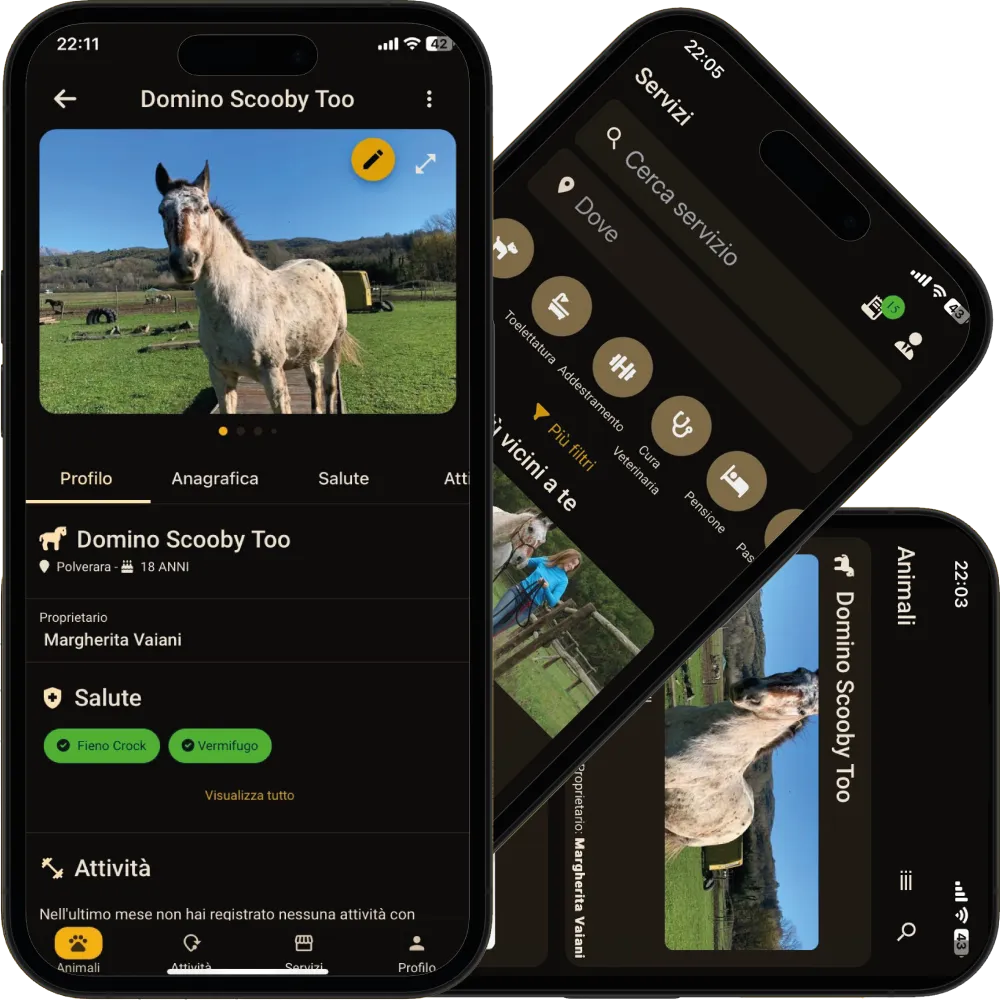
App screenshots with demonstration or test data.