PawsPet

PawsPet Business for dog sitters

The dog sitter app for self-employed pet sitters and dog walkers

PawsPet Business is the dog sitter app for pet sitters and dog walkers who work for themselves: you create your profile as an individual, publish walks and home visits within the radius in km you cover, set prices per hour, per day or per pet, and clients pay by card. No subscription: PawsPet keeps a fee only on orders paid in the app. To appear in searches you need Stripe identity verification.

Continue in PawsPet Business
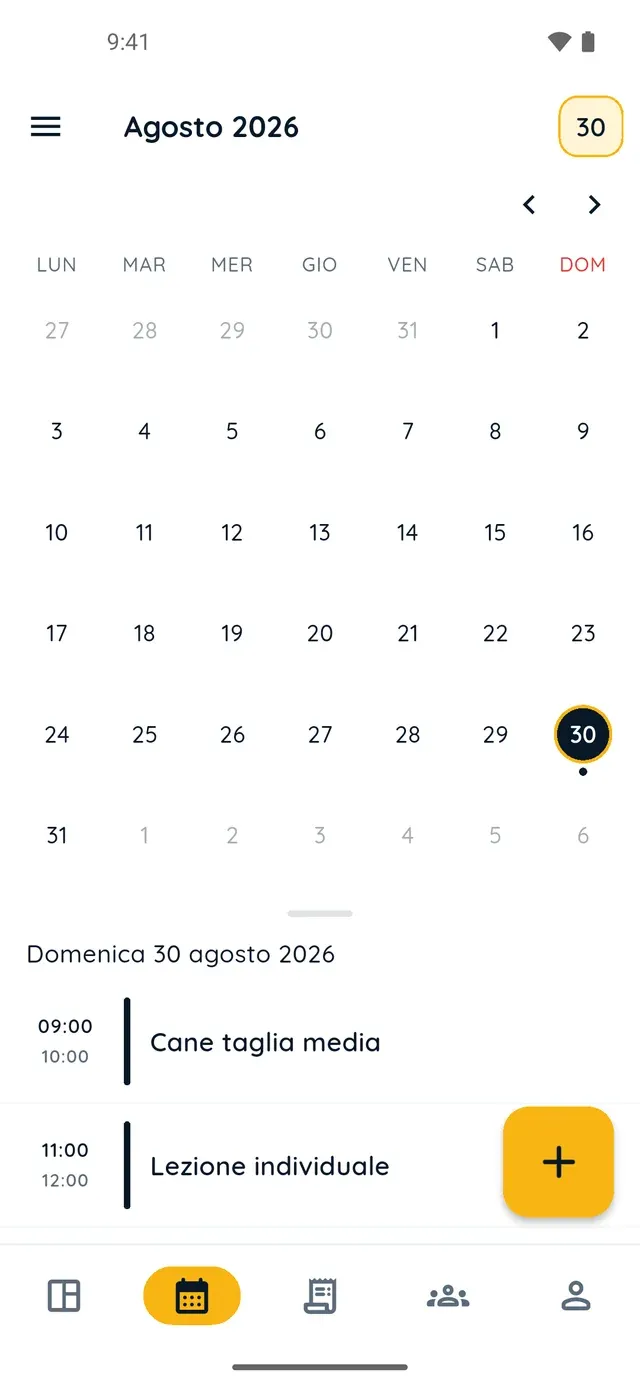
Monthly calendar in PawsPet Business

PawsPet Business

Why it helps

A pet sitter profile as an individual

In «Become a merchant» pick the «Pet sitting» category and «Individual» as the business type: your tax code identifies you, a VAT number is optional. Stripe verification runs inside the app, asks for ID and bank details, and gives you the verified badge.

Walks and home visits within the radius you choose

For each service, of type «Walking» or «Pet sitting», you choose «At home» or «Venue and home» and set «Anywhere» or a «Maximum distance from the location» in km. Clients enter their address when booking: outside your radius, they cannot confirm.

Prices per hour, per day or per pet

«Per hour» for a walk (the client picks start and end time), «Per day» for multi-day pet sitting, «Per pet» for one order line per dog. With «Multiply price by number of pets» two dogs pay double; you can cap the number of pets and limit the species.

The pet's record while the order lasts, then the chat

With the order, the client's pet appears in your PawsPet app under «Pets» » «Clients» and you can open its record while the service lasts: then access expires on its own and only the chat remains. Photos and updates go to the owner via the order's «Chat» tab.

Pet sitters and dog sitters

What it means for your day.

  1. Create your pet sitter profile as an individual

    Download PawsPet Business and sign in with your PawsPet account: «Become a merchant» starts on its own. In «General» enter a name and pick «Pet sitting»; in «Registry and invoicing» choose «Individual» and enter your tax code; then contacts, address, hours, «Create profile» and Stripe verification.

  2. Publish walks and home visits with a radius and an hourly price

    In «My services» tap «+». In «General» pick the «Walking» or «Pet sitting» type, in «Images» add a photo. In «Prices and options» tap «Add option»: «Per hour» or «Per day», price, allowed species. In «Geographic availability» choose «At home» and your radius in km. Set your hours, then «Publish».

  3. Accept the order, open the pet's record and get paid

    Bookings arrive in the «Orders» tab: open the order and tap «Accept». While the service lasts, open the pet's record in the PawsPet app and message the owner from the «Chat» tab, photos included. «Collect payment» charges the card; when the client confirms, the net on «You receive» is yours.

Pet sitters and dog sitters

Frequently asked questions

How much does the PawsPet Business dog sitter app cost?

No subscription and no monthly plan: profile, services, calendar, clients and orders are free. PawsPet keeps its share only on orders the client pays in the app; the «You receive» line in each order always shows the net amount you get. For new profiles, payments are online only: in-person payments are not available.

Do I need a VAT number to create a pet sitter profile?

Not in the form: choosing «Individual» as the business type, your tax code identifies you and the VAT number is an optional field. Stripe then asks for an ID document and the bank account for your transfers. The tax obligations of your activity remain yours: PawsPet neither checks nor replaces them.

How do I price a walk with two dogs?

In «Prices and options» create a «Per hour» option and turn on «Multiply price by number of pets»: the client picks a start and end time and selects their dogs, and the app multiplies the price by the whole hours (rounded up) and by the number of pets. You can set «Max pets per booking» and limit the option to dogs.

What do I see about the pet I will look after, and for how long?

With the order the pet appears in the PawsPet app under «Pets» » «Clients», and you can open its record while the service is in progress. Then access expires on its own: if you try to reopen it, the app tells you which order it came from and leaves you «Go to order» and «Message the owner». To see it again you need a new order or a share from the owner.

When do I get the money for a walk paid by card?

After you accept, the client's card is pre-authorised: tap «Collect payment» to charge it. The net amount reaches your balance when the client confirms they received the service, or after automatic confirmation. Your balance is transferred in full on the first of every month; from «Payouts» you can request one manual payout a month (a €1 fee under €20).

PawsPet Business

Start working as a dog sitter with PawsPet Business

Download the app, create your «Pet sitting» profile as an individual and publish your first home-visit walk with your own radius in km. No subscription: a fee only on orders paid in the app.

Download PawsPet Business

Coming soon onApp StoreDownload onGoogle Play

PawsPet Business for iOS is coming soon to the App Store. App screenshots with demonstration or test data.