PawsPet

PawsPet Business for pet professionals

Online storefront for pet groomers and sitters: get found locally

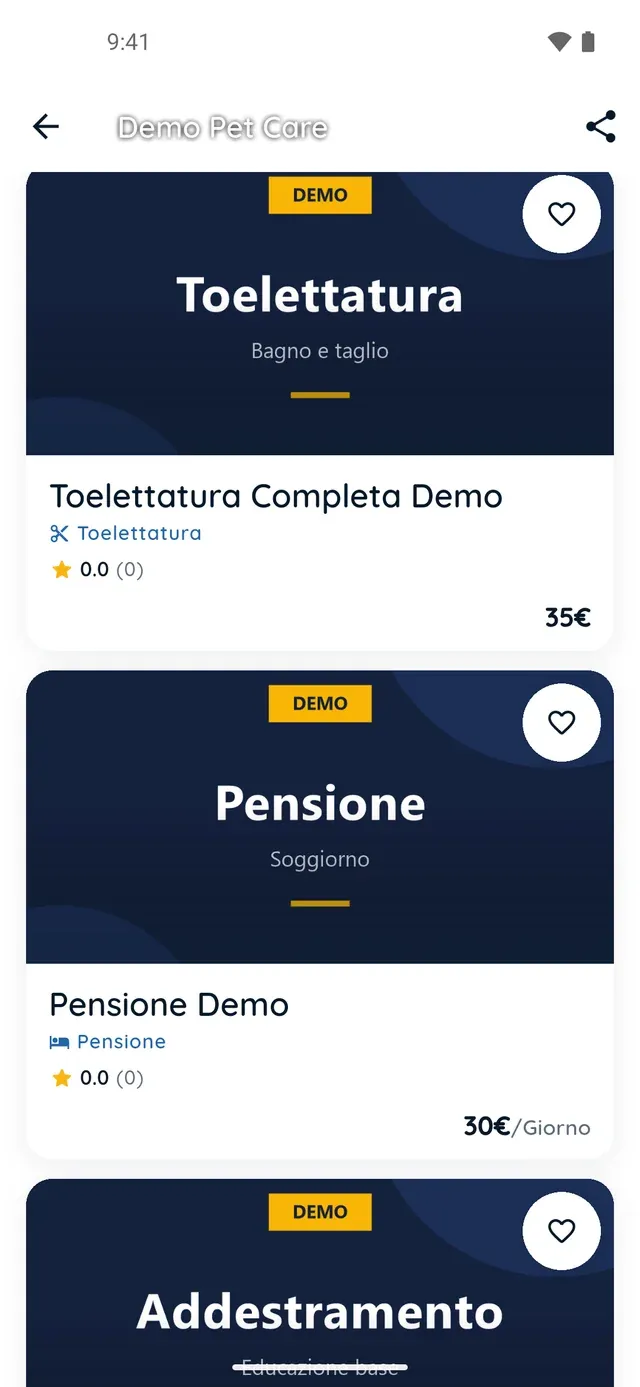
The online storefront for pet groomers and sitters in PawsPet Business is the public profile pet owners open from the marketplace, from the website and from the link you share: verified badge, rating, location on a map, offers, services, opening hours and reviews. You publish it in three steps and hide it whenever you need to. No subscription: a fee only on orders paid in the app.

Continue in PawsPet Business
Public PawsPet service storefront

PawsPet Business

Why it helps

Everything a customer wants to know, on one page

Logo and name, the «Verified by PawsPet» badge, rating and reviews, description, address with a map, active offers, payment methods, your first three services and opening hours. Phone and email stay out: customers message you in the app once they have booked.

Pet owners near you find you first

In the PawsPet app the «Services» tab sorts results by distance, with «Nearby» and «Top rated» carousels and a map view; on the website your services appear on the city pages. The address you set counts both for services at your premises and for home visits.

A verified badge and real reviews

The «Verified by PawsPet» badge comes with Stripe identity and payment verification, done inside the app, not from registers or licences. Every review comes from an order completed on PawsPet; the storefront shows the average, a histogram and the texts.

A link that opens without the app, and a pause switch

From your «Public profile» tap share: a card with your logo and name to copy as a link, save as an image or post on social media. Anyone who opens it sees the storefront even without the app. Set «Profile visibility» to «Hidden» to leave search results.

Storefront and reviews

What it means for your day.

  1. Fill in your profile info, address and hours

    In the «Profile» tab of PawsPet Business open «Your profile». Under «Profile info» upload your logo and enter your name, category and description; under «Business address» enter your address, or tap «Use current location»; under «Working hours» fill in the weekly grid. Each section ends with «Save».

  2. Complete the «Activate your shop» checklist

    On the Dashboard you tick off three steps: «Business profile created», «Publish at least one service» and «Complete Stripe verification», with the form opening inside the app. Until then you see a yellow banner, but calendar, orders and clients keep working. At 3 out of 3 it turns green.

  3. Check your storefront and share the link

    From the «Profile» tab open «Public profile»: it is exactly the page a customer sees. Tap the share icon, choose the format and style of the card, then copy the link, save the image or post it on social media. For a break, under «Profile info» set «Profile visibility» to «Hidden».

Storefront and reviews

Frequently asked questions

What does my online storefront show to pet owners?

Your logo and name, the «Verified by PawsPet» badge once verification is complete, your average rating and number of reviews, your description, your address with a map, active spend-threshold offers, payment methods, your first three services, opening hours and reviews with a histogram. Phone and email are not shown: contact happens in the order chat.

Why does my shop not appear in search results?

Stripe verification is missing, or you have not published a service yet, or your profile is set to «Hidden». The «Activate your shop» box on the Dashboard tells you exactly what is missing and takes you to the right page; until everything is in place you see the yellow banner «You are not visible in the marketplace».

How do I get the «Verified by PawsPet» badge?

By completing Stripe verification: from the «Profile» tab open «Verification» and tap «Start verification». The Stripe form opens inside the app and asks for personal details, an identity document and the bank account for payouts. The badge does not depend on professional registers or licences: it certifies identity and payments, not qualifications.

Can I send my storefront link to people who do not have the app?

Yes. From «Public profile» tap the share icon, pick a card and copy the link or share it on social media. Anyone who opens it, even without PawsPet installed, sees the same storefront in the web version. To book and pay, though, they need a PawsPet account: from there the customer chooses the service, pays and messages you in the order chat.

How much does the online storefront cost in PawsPet Business? Can I hide it?

There is no subscription: profile, storefront, calendar and client list are free, and PawsPet keeps a fee only on orders paid in the app. For a break open «Profile info», set «Profile visibility» to «Hidden» and save: you leave the marketplace search results, but your services, order history and reviews stay intact and you go public again whenever you like.

PawsPet Business

Download PawsPet Business and publish your storefront

Free on Google Play, coming soon to the App Store. Create your business profile, publish a service and complete Stripe verification: your online storefront is ready. No subscription.

Download PawsPet Business

Coming soon onApp StoreDownload onGoogle Play

PawsPet Business for iOS is coming soon to the App Store. App screenshots with demonstration or test data.