PawsPet

PawsPet Business for pet shops

Pet shop app: bookable services, clients and a public storefront

PawsPet Business is the pet shop app for shops that also offer services: publish grooming, consultations and other in-store services with price and duration, let clients book online and follow them in your calendar. Keep a client list with a record for each pet and show a storefront with address, hours and reviews. No subscription: a fee only on orders paid in the app. For now, online product sales are not active.

Continue in PawsPet Business
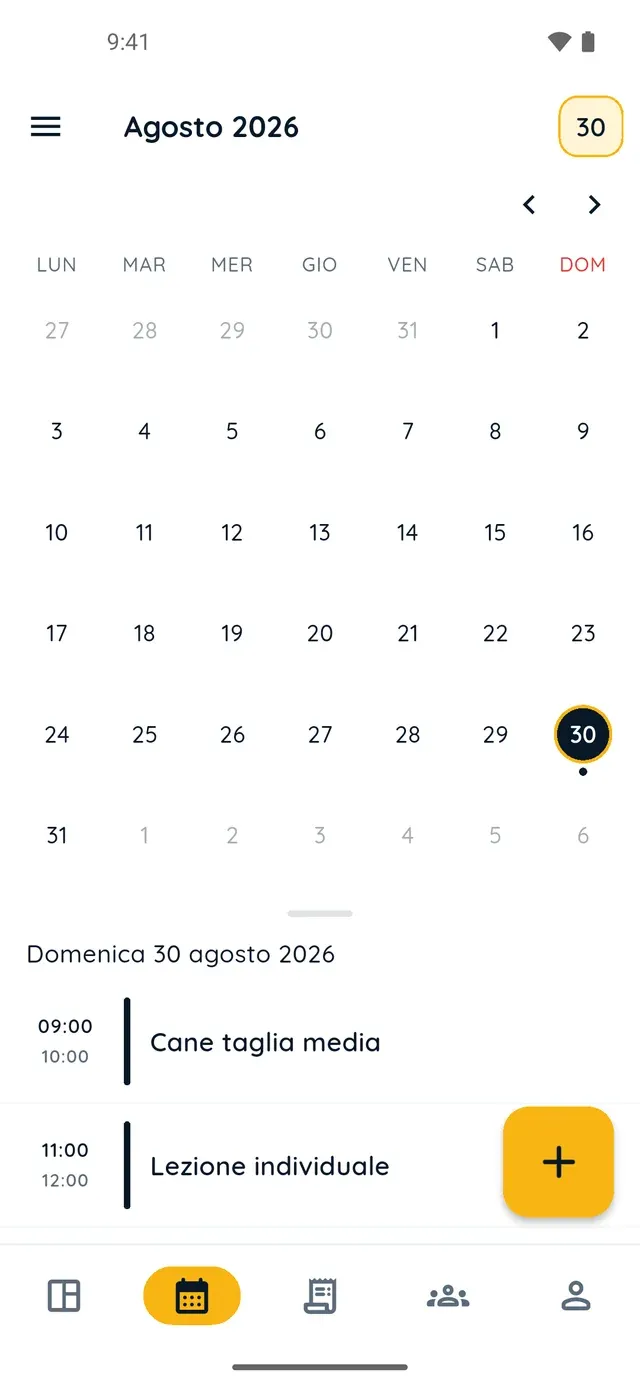
Monthly calendar in PawsPet Business

PawsPet Business

Why it helps

Bookable grooming and consultations with capacity limits

Each service becomes an option with a price: «Fixed price» for a bath or a nail trim, «Per pet» when the bill depends on how many animals come in. Duration, «Maximum capacity per time slot» and the break between appointments decide which slots the client sees.

A public storefront so clients can find you online

Your public profile shows logo, description, address with a map, services, hours, reviews and average rating. After Stripe verification it carries the «Profile verified by PawsPet» badge. The share icon gives you a link that opens even without the app.

A client list you can search by person or by pet

In the «Clients» tab you record whoever walks in, PawsPet user or not: a name and the consent box are enough. Search by name, email or phone, or by the pet's name, breed or microchip; the «On PawsPet» and «Not registered» filters keep the list tidy.

A record for every pet: vaccines, treatments, due dates

For each client's pet you have details, health, measurements and activities: log a vaccine, treatment, weight or note with a due date. If the client has PawsPet and accepts your invite, they see type, name, date and note under «Recorded by professionals».

Pet shops

What it means for your day.

  1. Create your profile with the «Pet shop» category

    Download PawsPet Business and sign in with your PawsPet account: the «Become a merchant» flow starts on its own. In the «General» step type your shop name and pick «Pet shop» as the «Business category»; then fill in company details, contacts, address and opening hours and tap «Create profile».

  2. Publish your in-store services and complete Stripe verification

    In «My services» tap «+»: choose the type (e.g. «Grooming»), upload a photo, add an option with price and duration, select «At the venue» and your hours, then «Publish». From the Dashboard, «Complete the Stripe verification» collects ID and bank details in the app: then you appear in searches.

  3. Record clients and their pets, then check your storefront

    In the «Clients» tab tap «+», type the name, tick the consent box and choose «Next: add an animal». Open the pet and in the «Health», «Measurements» or «Activities» tabs tap «+» to log vaccines or weight with a due date. From «Profile» » «Public profile» you check your storefront and share the link.

Pet shops

Frequently asked questions

How much does the PawsPet Business pet shop app cost?

There is no subscription and no monthly plan: services, calendar, clients, pet records and orders are free. PawsPet keeps a fee only on orders the client pays in the app; the «You receive» line in each order shows the net amount you get. For new profiles, payments are online only: in-person payments are not available.

Which of my shop's services can clients book online?

The ones you pick from the list of service types: «Grooming», «Behavioural consultation», «Training», «Day care», «Boarding» and more, or «Other» with a name of your own. Every service needs at least one option with a price above zero and a price type; a «Custom» option is informational only and cannot be booked from the app.

How do I get the «Profile verified by PawsPet» badge on my storefront?

By completing Stripe payment verification: from «Profile» » «Verification» tap «Start the verification» and the Stripe form, inside the app, asks for your details, ID document and bank account. Once verified, with a «Public» profile and a published service, you appear in searches and get paid online. The badge is unrelated to trade registers or licences.

Do my clients need to download the app to be in my client list?

No. From the «Clients» tab you record anyone with just a name, after ticking the consent box; email and phone are optional. If you want the client to find what you log about their pets on their own account, open their record, tap «Invite» and send them the link however you like: the record switches to «On PawsPet» when they accept.

Does the owner see what I record about their pet?

Only if they use PawsPet and accepted your invite: in their pet's profile, under «Recorded by professionals», they find the type, name, date, due date and note of each entry. They can add a note of their own but cannot edit your data. They get no notification and see neither photos nor the weight value: for those, use the order chat.

PawsPet Business

Bring your pet shop to PawsPet Business

Download the app, create your profile with the «Pet shop» category and publish your first bookable service. No subscription: a fee only on orders paid in the app.

Download PawsPet Business

Coming soon onApp StoreDownload onGoogle Play

PawsPet Business for iOS is coming soon to the App Store. App screenshots with demonstration or test data.