PawsPet

PawsPet for owners

Dog vaccination reminder app: boosters, expiry and parasite treatments

PawsPet is a dog vaccination reminder app that works for cats and every other animal too: you record doses, boosters and the expiry date, choose when the push alert should arrive and find every due date in the calendar. Parasite treatments become recurring therapies with a to-do to tick at each dose. Your vet sets the dates: the app does not decide the vaccination schedule, it reminds you of it.

Continue in PawsPet
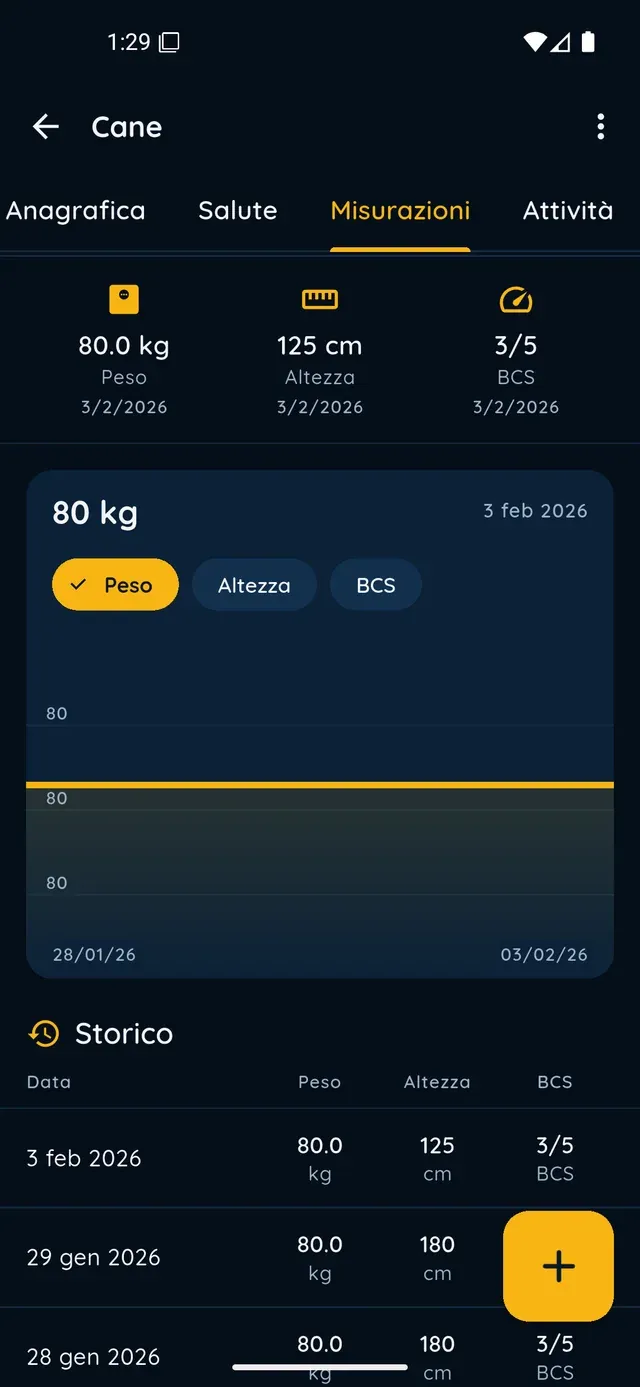
Measurement chart and history in PawsPet

PawsPet

Why it helps

Doses, boosters and expiry in one form

For each vaccine you enter the name, the first dose date and, with «Add dose», every booster with its own date. The «Expiry / validity date» colours the chip: green while valid, yellow «(expires soon)» in the last week, red «(expired)» after that.

The push alert arrives when you decide

Tap «Set alert» and choose from «At the time of the event», «10 minutes before», «1 hour before», «1 day before», «1 week before» and «1 month before», or a custom one. The same panel exists for therapies and lab tests; the notification opens the right entry.

Parasite treatments and therapies that repeat

A monthly flea or worm treatment is a recurring therapy: name, quantity, frequency and time of day. With «Create to-dos in activities» every dose becomes an entry to tick off in the calendar; «Set alert» adds the push notification on top.

The app reminds you of the core vaccines

In the «Profile» tab, the «Recommended» strip suggests core vaccines for the species never recorded, such as the DHP core vaccine for dogs and rabies for dogs and cats, plus a booster for those expiring. Tap it: the form opens with the name filled in.

Vaccine reminders

What it means for your day.

  1. Record the vaccine with doses and expiry

    Open the pet from the «Pets» tab, then the «Health» tab and the + button: choose «Vaccine». Enter the name, the first dose date, boosters with «Add dose» and the «Expiry / validity date». From the second one on you also find «Add» in the «Vaccines» box; for a booster, tap «Boost» under Recommended.

  2. Choose when to be alerted

    Tap «Set alert», switch it on and tick the reminders you want, for example «1 month before» and «1 day before». Under «Custom» you can add your own, from 1 to 60 minutes, hours, days or weeks ahead. Tap «Confirm», then save: without a future expiry date the alert has nothing to refer to.

  3. Find it all in the calendar and the chips

    The «Activities» tab shows the vaccine entries by itself: one at the first dose, one for each «Dose N» and an «Expiry: name» entry on the validity date, all read-only. In the «Health» tab the chip is yellow in the last week and red once expired; a week later it leaves the box but stays in «History».

Vaccine reminders

Frequently asked questions

Is the PawsPet dog vaccination reminder app free?

Yes. For owners PawsPet is free with no subscription: vaccines, reminders, therapies and calendar cost nothing, for dogs, cats and any other animal. You only pay for the services you book from a professional, such as a grooming session; if you pay in the app, a small service fee is added and shown in the summary before you confirm.

How do I get an alert before the vaccine expires?

In the vaccine form tap «Set alert», tick one of the preset reminders (for example «1 month before») or create your own under «Custom», then «Confirm» and save. Push notifications must be enabled for the app: if you declined them, turn them back on in your phone settings. Tapping the notification opens the vaccine entry directly.

The vaccine has several doses or boosters: how do I record them?

In the Vaccine form use «Add dose» for each booster: every dose has its own date, never earlier than the first. Set the «Expiry / validity date» and, if you like, «Set alert». For a booster of a vaccine already recorded you can also tap «Boost» under «Recommended» in the Profile tab: the form opens with the name already filled in.

How do I set a monthly reminder for the parasite treatment?

«Health» tab » «Diet, therapies & treatments» » «Add» » choose «Therapy», enter name and quantity, switch on «Recurrent» and set frequency and time; with «Create to-dos in activities» every dose appears in the calendar with a box to tick. You can also ask Copilot in the chat: it prepares a confirmation card and saves only after your ok.

Does the app decide when vaccines are due?

No. The vaccination schedule is set by your vet: you record the dates you agree on together and PawsPet reminds you based on those. «Recommended» only flags the core vaccines for the species that were never recorded or are about to expire, and no suggestion replaces medical advice.

PawsPet

Download PawsPet and set your first reminder

Free for owners, on iOS and Android. Record the vaccine, tap «Set alert» and forget about it until the notification arrives.

Download PawsPet

App screenshots with demonstration or test data.