PawsPet

PawsPet Business for professionals

Pet boarding daily updates app: owners see what you record

PawsPet Business works as a pet boarding daily updates app: for every guest at your kennel, cattery or daycare you record activities, weight, treatments and notes, with date and expiry. If the owner uses PawsPet and is linked to your client record, they find those entries in their pet's profile under «Recorded by professionals» and can reply with a note. No push notifications, no photos: those go via the order chat.

Continue in PawsPet Business
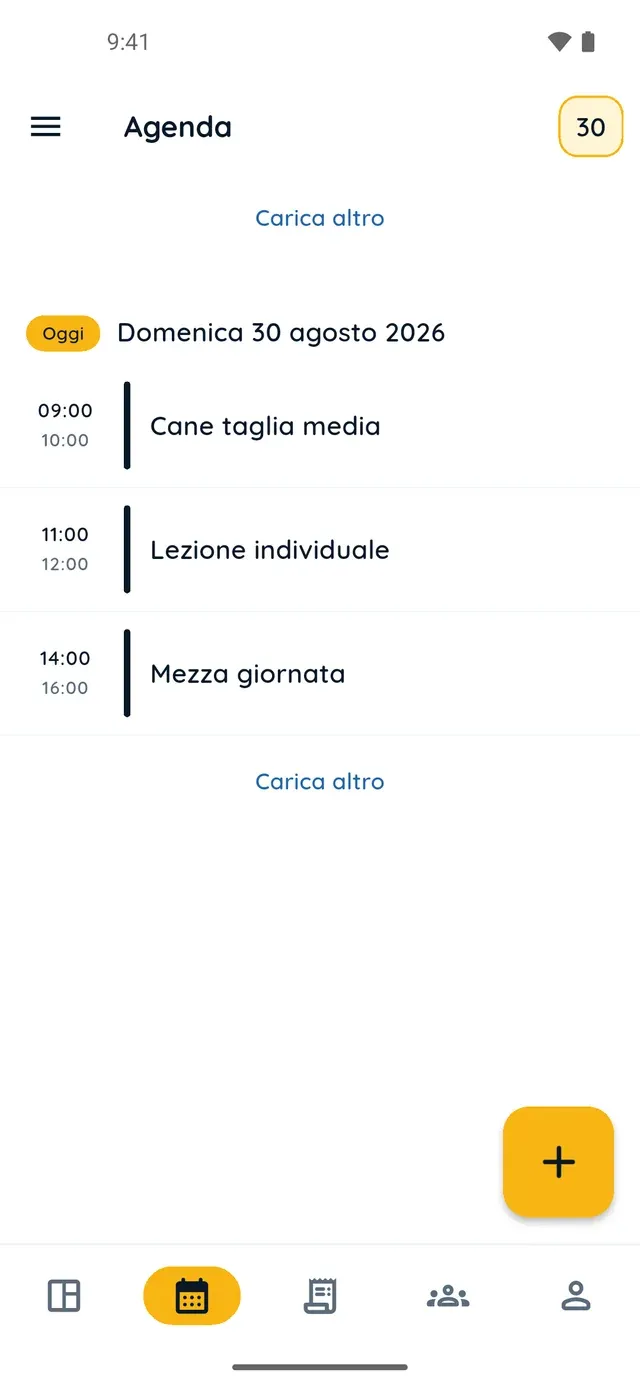
Appointment list in PawsPet Business

PawsPet Business

Why it helps

A diary for every guest, written by the whole team

From the client's pet record you log an Activity, Weight, Treatment, Grooming or Note, with name, date, optional expiry and free text. Each entry is saved on its own: whoever does the morning walk and whoever weighs the dog at night never overwrite each other.

Owners find the entries in their app, without calling you

If the client uses PawsPet and is linked to your record, they open their pet's profile and under «Recorded by professionals» find your entries grouped by business: type, name, date, expiry and note. They cannot edit or delete them: the data stays yours.

Owners can reply with a note

Every entry has an «Add note» button on the owner's side. What they write lands in the «History» of their client record, in bold, and a yellow dot on their avatar flags it in the Clients list. To reply you use the order chat: the History has no reply button.

Photos travel through the order chat

«Recorded by professionals» carries no photos and no weight value, and the owner gets no notification. For a photo of the walk or the haircut, open the booking and write from its «Chat» tab: the conversation stays attached to that order.

Owner updates

What it means for your day.

  1. Create the guest's record and invite the owner

    In the «Clients» tab tap «+», enter the client's name and contacts and register the guest with «Next: add an animal». In the record tap «Invite»: the app prepares a message with the link, which you share by WhatsApp or SMS. The owner opens it in PawsPet, picks «Link» or «Create new», then «Accept».

  2. During the stay, record activities, weight and notes

    Open the pet from the client's record and go to «Activities», «Measurements» or «Health». Tap the yellow «+»: in the «Record» sheet pick the type (Activity, Weight, Treatment, Grooming, Note), type a name, set the date, add a note and tap «Save». The entry also appears in the client's History.

  3. The owner finds it all in their pet's profile

    In the PawsPet app they open the pet, «Profile» tab, section «Recorded by professionals» just below the Health box: your entries are grouped under your business name, with the expiry in red once it has passed. With «Add note» they leave you a message that you find in their History.

Owner updates

Frequently asked questions

Does the owner see the pet boarding daily updates in real time?

No. No push notification is sent and the profile does not refresh by itself on their phone. The owner sees your entries when they open, or reopen, their pet's profile in PawsPet with the phone online: the app requests them from the server right then. Offline, they appear at the next opening with a connection. For an immediate heads-up, use the order chat.

What exactly does the owner see, and what not?

They see the type, name, date, expiry and note of each entry, grouped under your business name, with the expiry in red once it has passed. They do not see the attached photo or the weight value, and they cannot edit or delete anything: they can only add a note of their own, which you see too. Photos and the weight value you send through the order chat.

Does the client need PawsPet to receive the updates?

Yes. They need a PawsPet account linked to your client record: you invite them with «Invite» from their record, and they accept from the link by choosing «Link» or «Create new» for their pet. If they do not use the app, the diary still lives in your register, with history and expiries: you pass updates on as you do today, by phone or WhatsApp.

Does it also work for notes after grooming, or for daycare?

Yes, the pet record is the same for every category. After a haircut you log a Grooming entry with the date and a note, for example about the skin or matting; for a day at daycare, an Activity entry. The owner finds them the same way in their pet's profile and, if they like, replies with «Add note».

How much does the guest diary cost in PawsPet Business?

Nothing: clients, pet records, entries and invitations are free, with no subscription. PawsPet keeps a fee only on orders that clients pay in the app. Records belong to the active business: if you run more than one location, each has its own clients and pets.

PawsPet Business

Download PawsPet Business and keep a diary for your guests

Free, with no subscription: PawsPet keeps a fee only on orders paid in the app. Create your business profile, add your first client with their pet and invite them to connect.

Download PawsPet Business

Coming soon onApp StoreDownload onGoogle Play

On the other side

PawsPet

A profile for every pet, their history always at hand and professionals to find whenever you need them.

PawsPet Business for iOS is coming soon to the App Store. App screenshots with demonstration or test data.